
Description
Product Overview
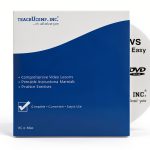
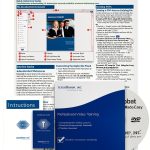
Discover a structured, self‑paced learning experience designed to teach Microsoft Excel 2016 in less time than traditional methods. Developed by Amazing eLearning, LLC, this software course combines concise video lessons, interactive exercises, and real‑world labs. The package measures 7.52 x 5.39 x 0.63 inches and weighs just 3.74 ounces, making it easy to install on any Windows PC.
Usage
Perfect for business professionals, analysts, students, and anyone who works with data, this course fits into daily workflows. Use it at the office, at home, or on the go to sharpen spreadsheet skills, prepare reports, and automate tasks. The hands‑on labs simulate real projects, allowing learners to apply formulas, create charts, and explore the new Ribbon interface in a risk‑free environment.
Why Choose Us
Amazing eLearning delivers a proven classroom approach: each topic is broken into bite‑size segments, followed by practice exercises and a lab that evaluates mastery. Unlike generic tutorials, this course provides downloadable practice files that mirror the instructor’s examples, ensuring you can follow along step by step. The content is regularly updated to reflect Excel 2016’s latest features, such as Flash Fill, VLOOKUP enhancements, and 3D Maps.
Key Features
- Comprehensive video lessons covering the new Ribbon, formulas, charts, and data visualization.
- Hands‑on labs with real‑world scenarios to test and reinforce skills.
- Downloadable practice files that align with each lesson for seamless learning.
- Modular structure allows you to revisit complex topics whenever needed.
- Designed for both beginners and experienced users seeking advanced Excel techniques.
FAQ
Do I need prior Excel experience?
No. The course starts with basic concepts and gradually progresses to advanced functions, making it suitable for all skill levels.
What operating system is required?
The software runs on Windows 7, 8, 10, and later versions with Microsoft Excel 2016 installed.
Can I access the course on multiple devices?
Yes, you can install the course on up to two computers for personal use, provided each has a valid Excel 2016 license.
Is there a certificate of completion?
Upon finishing all labs and assessments, you receive a digital certificate that can be added to your LinkedIn profile or résumé.
How long do I have access to the material?
Lifetime access is granted, allowing you to revisit lessons and updates whenever you need.

 1688商品
  Office 2019 Training Software by Individual Software
  Factory Effex Yamaha 2D Fork T-Shirt Cotton Mens
  Software Activation Key Generic One-Time
  Business Training Software TeachUcomp 4hr Course
  Scat Crankshaft Machined 3.850 Stroke Engine Crank
  Scat Crankshaft Small Block Forged Steel 4in
Reviews
There are no reviews yet.